





✓ Step-by-step guide
Install SmartOne IPTV
on Samsung / LG Smart TV
Follow these 4 simple steps to get IPTV Nords running on your Samsung / LG Smart TV with SmartOne IPTV.
1
Download SmartOne IPTV from Your TV App Store
SmartOne IPTV is available natively on Samsung (Tizen), LG (webOS & NetCast), Hisense (VIDAA), Panasonic, TCL and more.
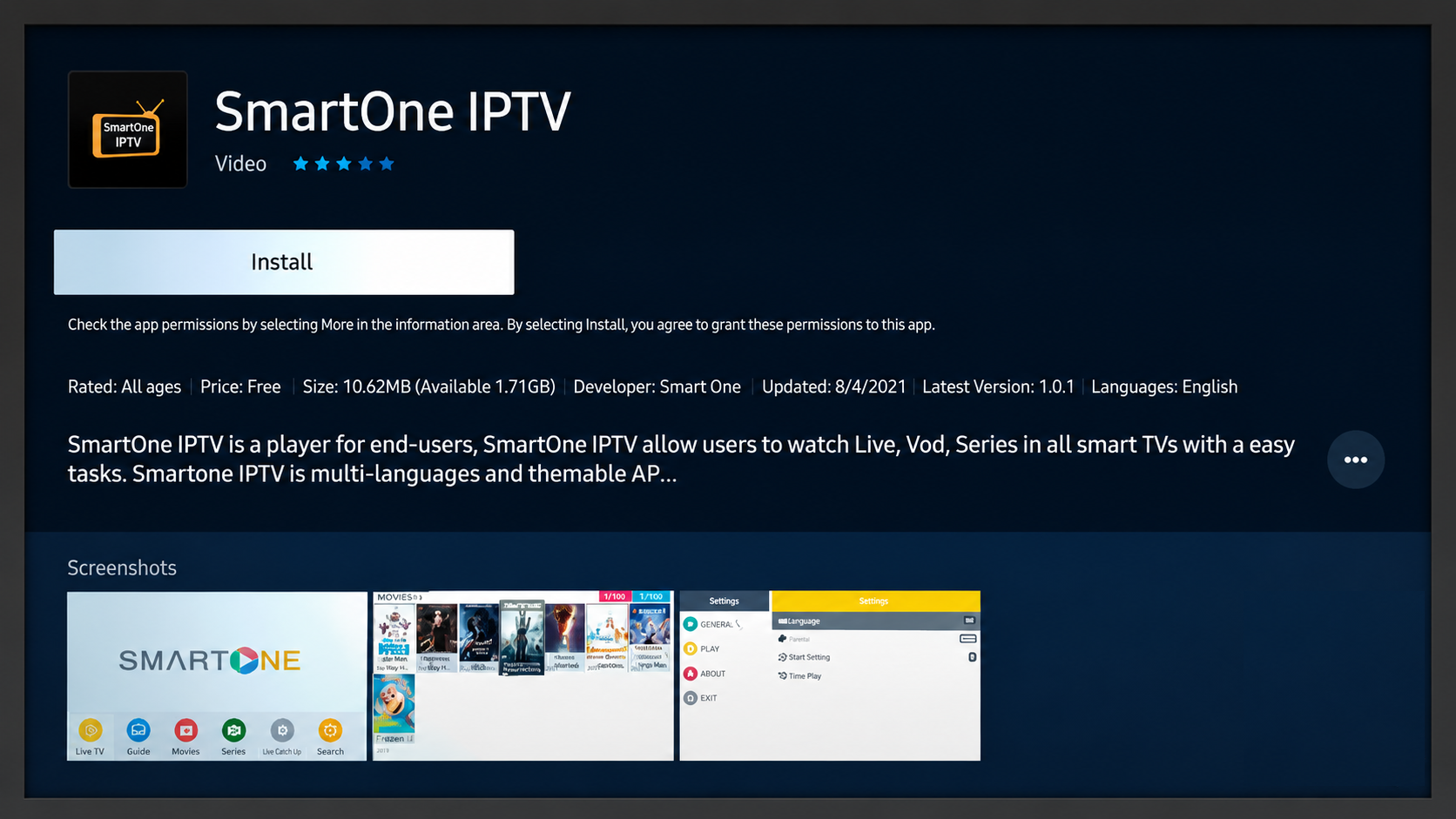
How to do it:
- Samsung: Home → Apps → Search → type SmartOne IPTV → Install
- LG: Home → LG Content Store → Search → type SmartOne IPTV → Install
- Hisense: Open VIDAA App Store → Search SmartOne IPTV → Install
- Other brands: Open your TV app store and search for SmartOne
2
Note Your MAC Address for Activation
When SmartOne IPTV opens for the first time it displays a MAC address. You need this to add your IPTV Nords playlist.
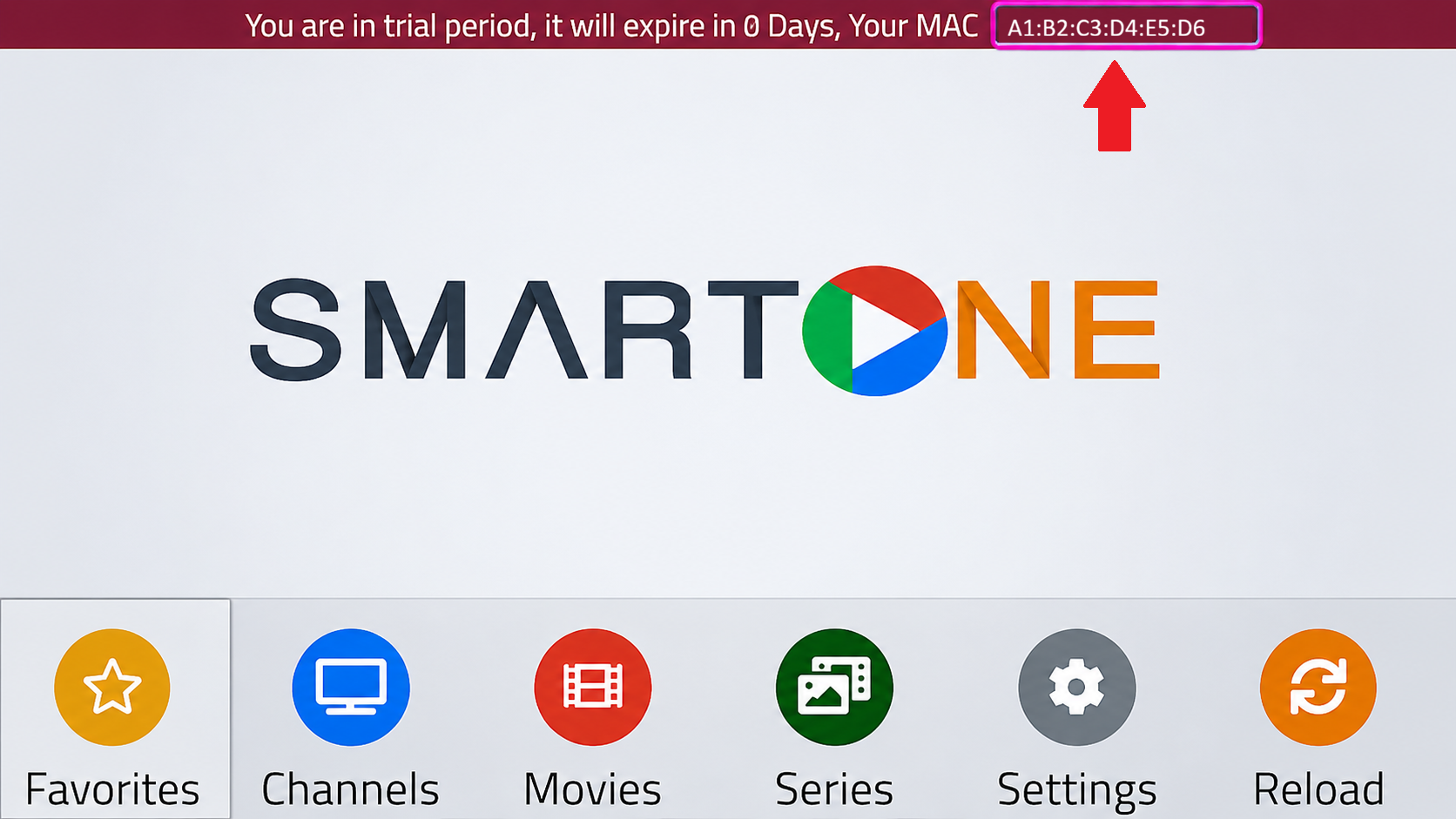
How to do it:
- Open SmartOne IPTV on your Smart TV
- The welcome screen shows your MAC Address
- Note it down — you will use it on the SmartOne playlist upload page
📋 You can also upload your M3U playlist directly at smartone-iptv.com using your MAC address — no typing needed on the TV remote.
3
Upload Your IPTV Nords Playlist via Web or Enter M3U URL
The easiest method is to upload your M3U playlist from a computer. Alternatively enter the URL directly on your TV.
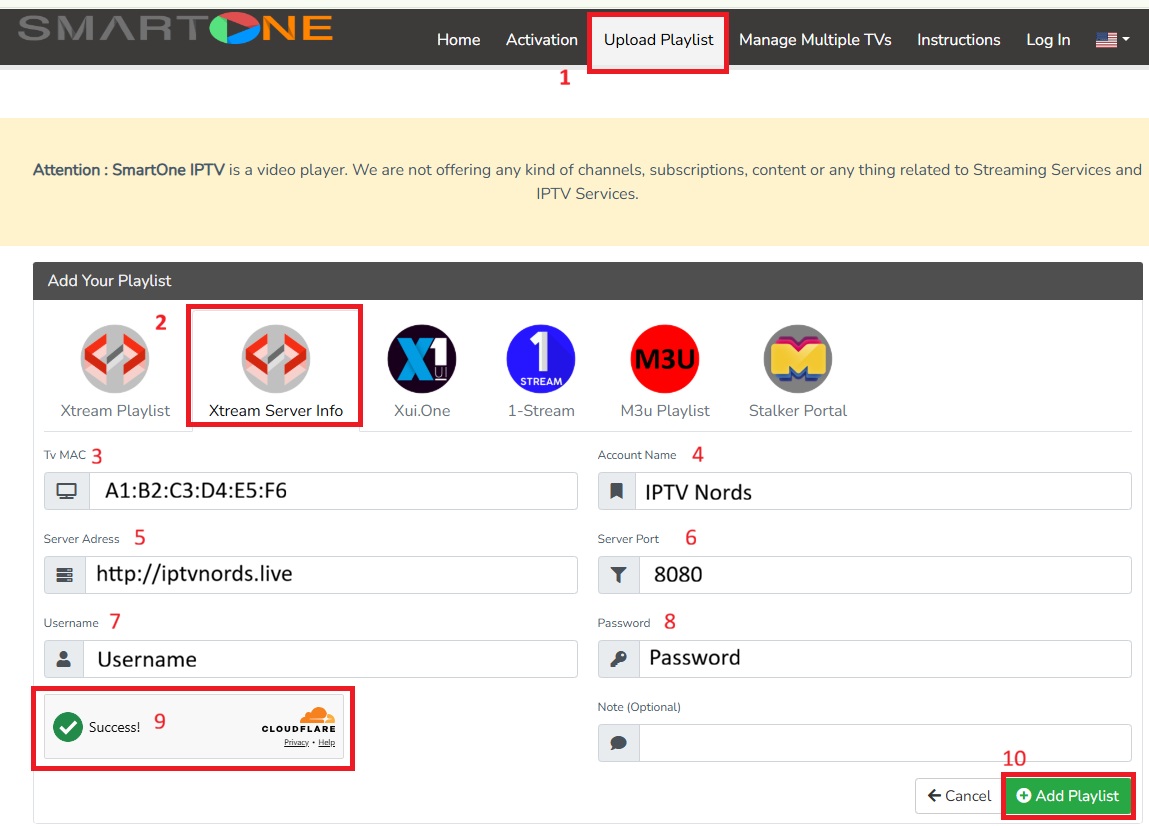
How to do it:
- Web upload method: On any browser go to smartone-iptv.com/plugin/smart_one/main_generate
- Enter your TV MAC address and paste your IPTV Nords M3U URL — changes appear on TV instantly
- Direct method: In the app tap Add Playlist → M3U URL and paste:
http://server.iptvnords.com:PORT/get.php?username=XXXX&password=XXXX&type=m3u
- Or use Xtream Codes — enter your IPTV Nords username, password and server URL
- Tap Save and your channels load automatically
📧 Your M3U URL is in your IPTV Nords welcome email. Contact live chat support if you need it resent.
4
Watch Live TV, VOD and Check Live Sports Scores
SmartOne IPTV includes a unique built-in live sports scores section alongside your 19,000+ channels.
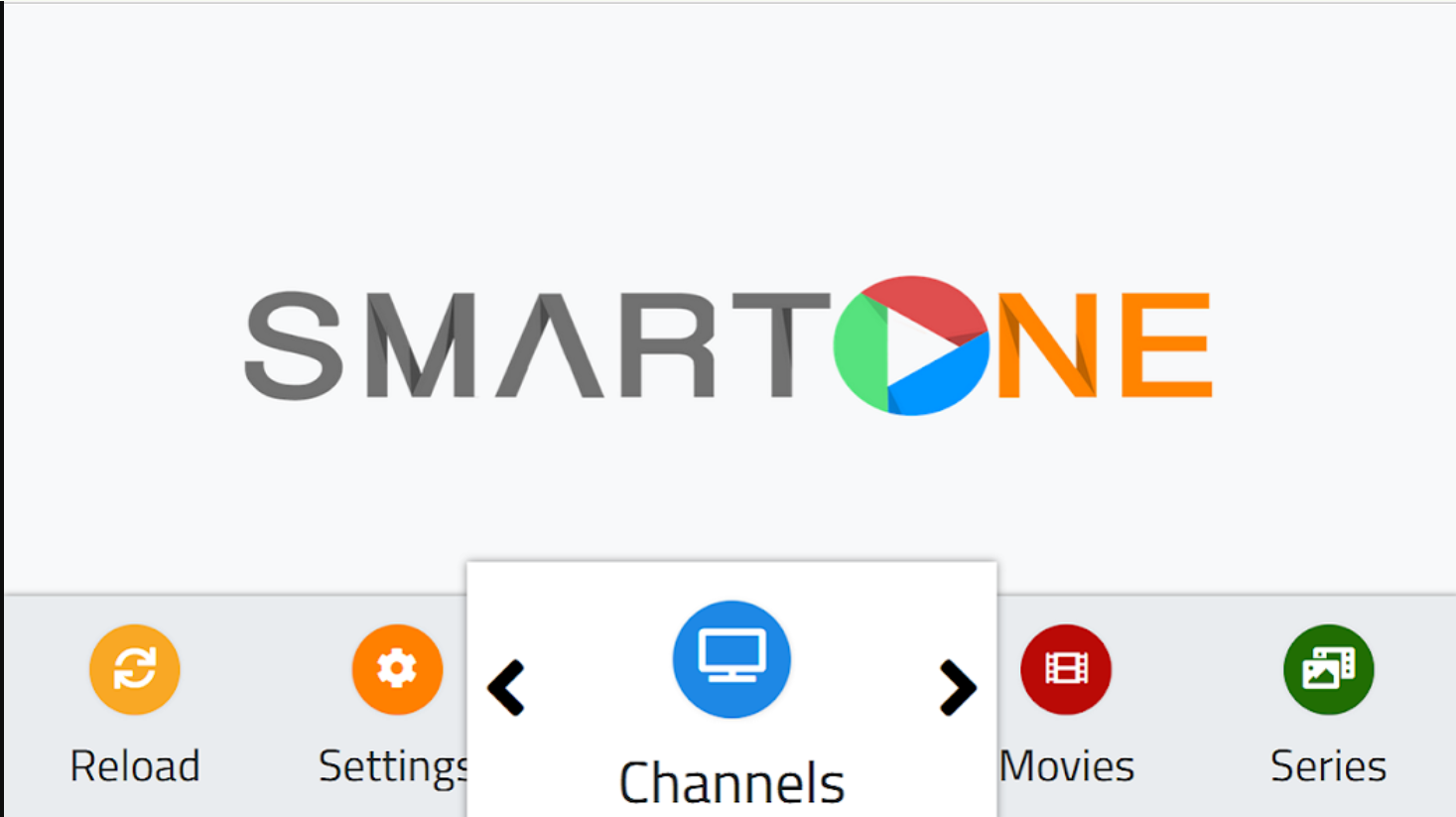
How to do it:
- Browse Live TV channels sorted by category and country
- Access VOD Movies and Series from the main menu
- Check the Sports Scores section for live football, basketball and more
- Use Multi-Device Management to control playlists across all your TVs from one account
💡 For best quality set stream to HD or FHD. Our servers support up to 4K on compatible devices.