





✓ Step-by-step guide
Install Duplecast IPTV Player
on Samsung / LG Smart TV
Follow these 4 simple steps to get IPTV Nords running on your Samsung / LG Smart TV with Duplecast IPTV Player.
1
Install Duplecast from Your TV App Store
Duplecast is available in the Samsung Smart Hub, LG Content Store and VIDAA OS app store — free to download.
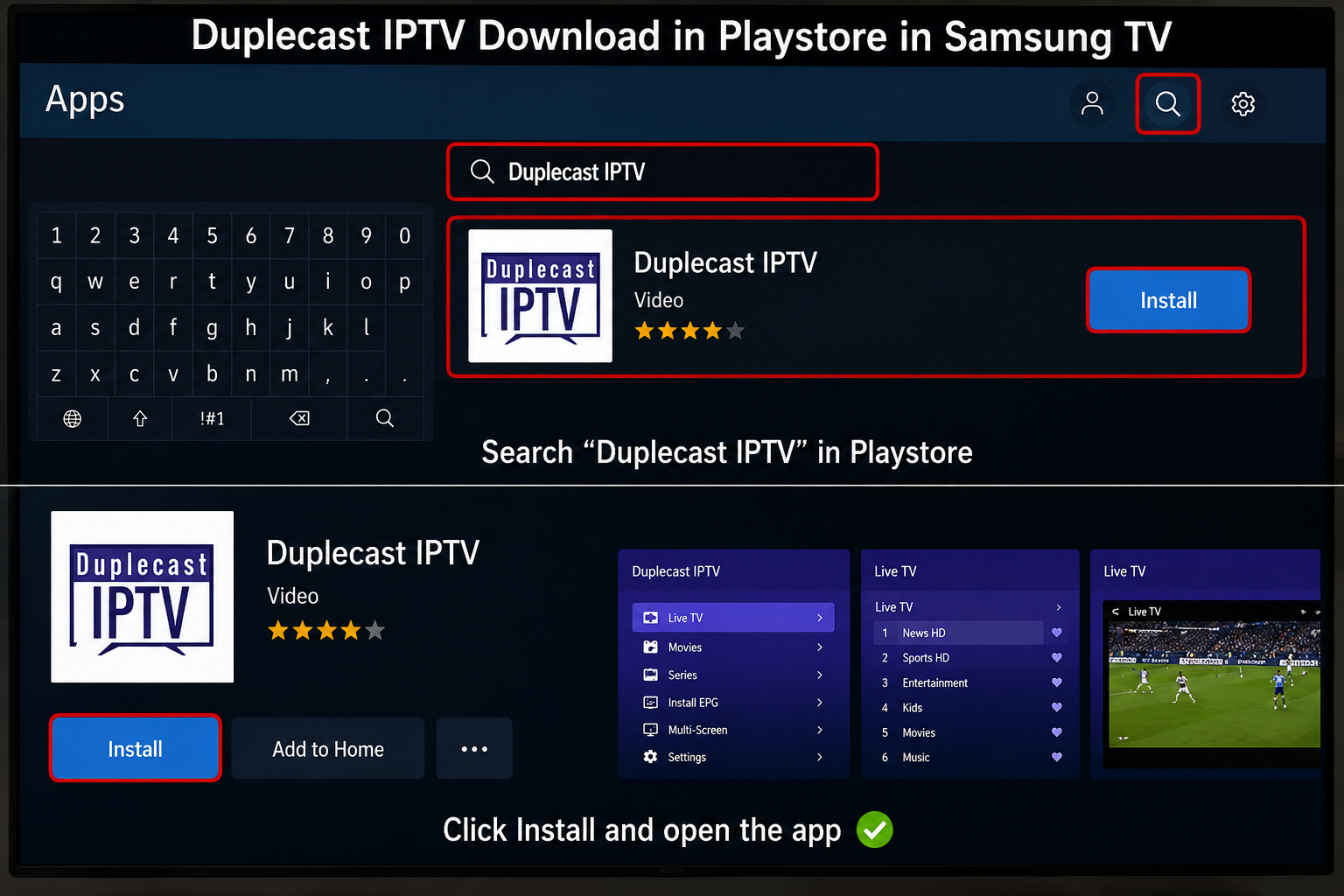
How to do it:
- Samsung: Press Home → Apps → Search icon → type Duplecast
- LG: Press Home → LG Content Store → Search → type Duplecast
- Hisense / VIDAA: Open VIDAA App Store → Search Duplecast
- Select Duplecast IPTV Player and tap Install
2
Open Duplecast and Tap Add Playlist
Launch the app and choose how to connect your IPTV Nords subscription.
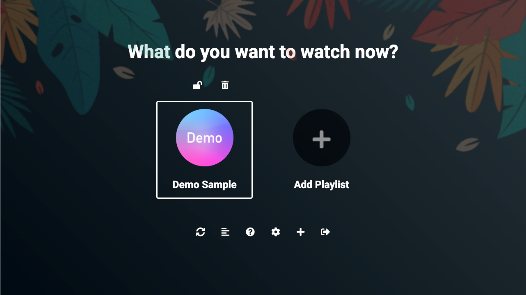
How to do it:
- Open Duplecast IPTV Player on your Smart TV
- Tap Add Playlist or the + icon
- Choose from: M3U URL, Xtream Codes, Stalker Portal or XUI
3
Enter Your IPTV Nords M3U URL
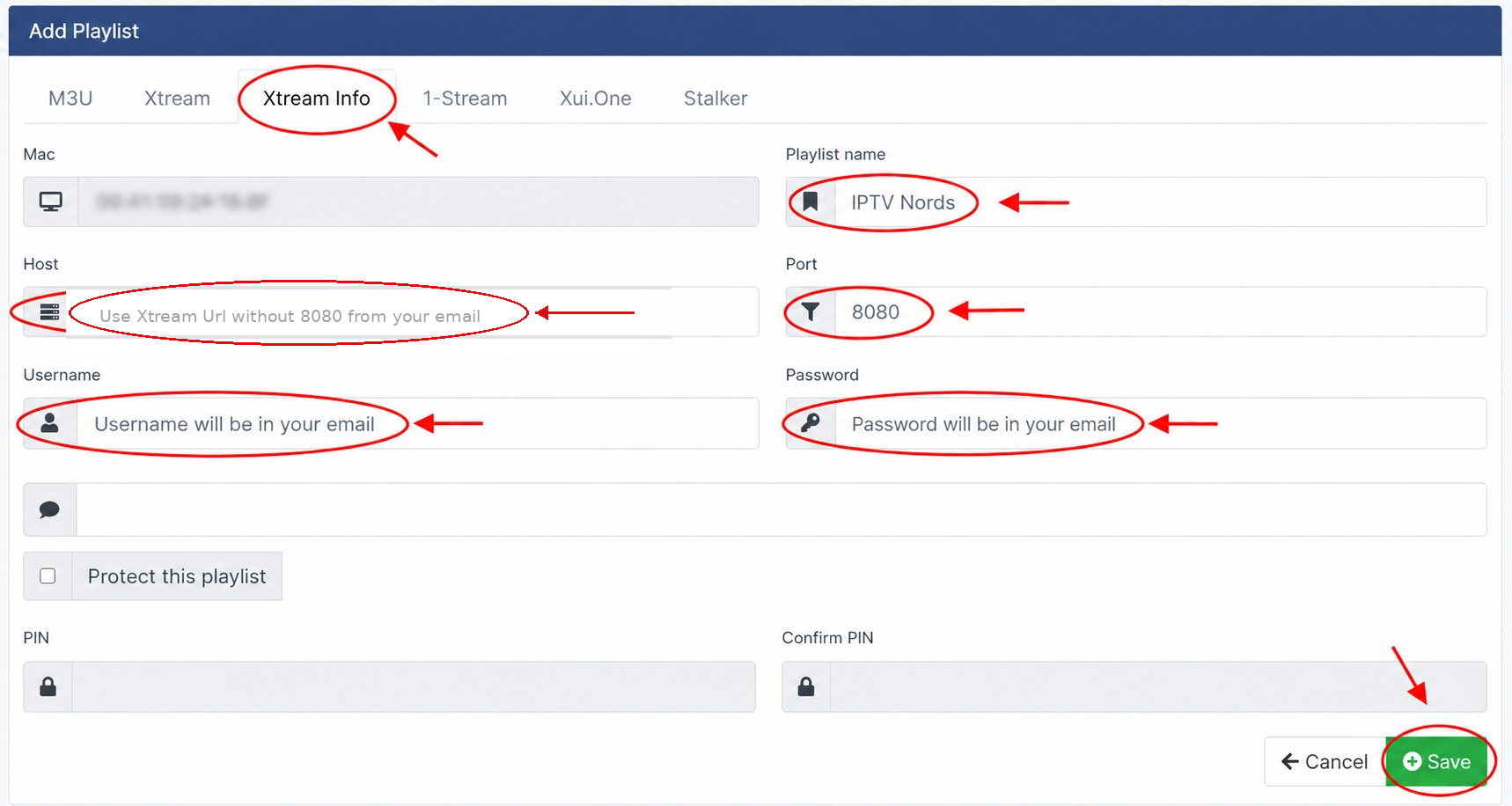
Paste the M3U URL from your IPTV Nords welcome email to load all channels instantly.
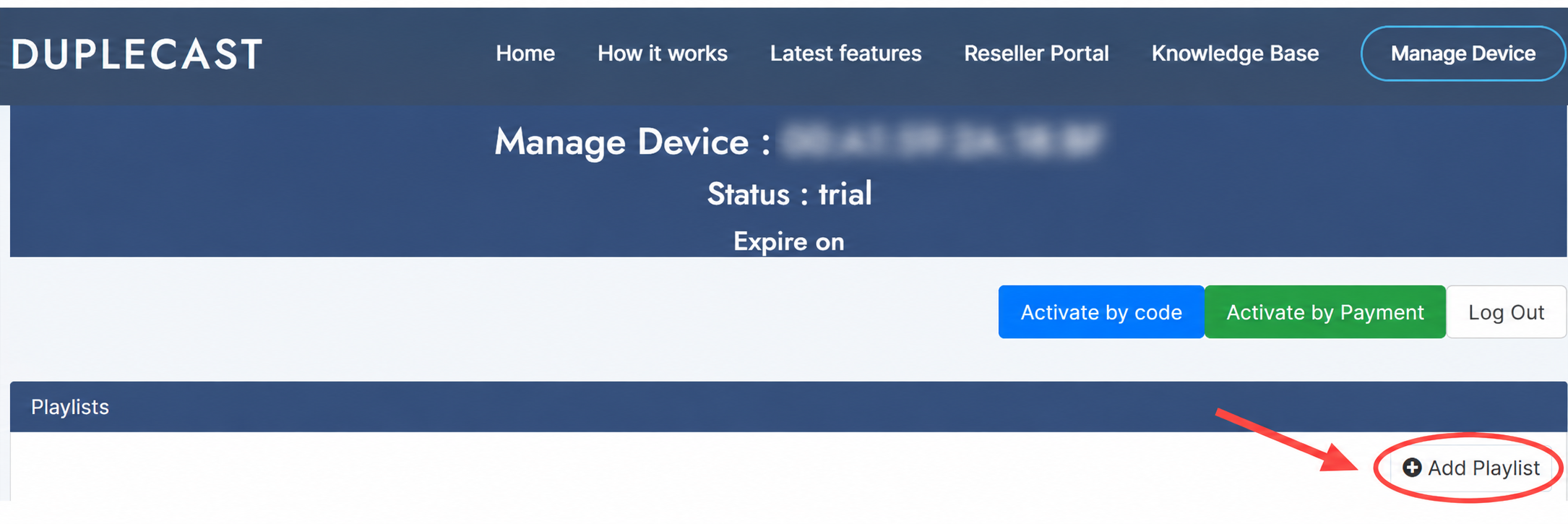
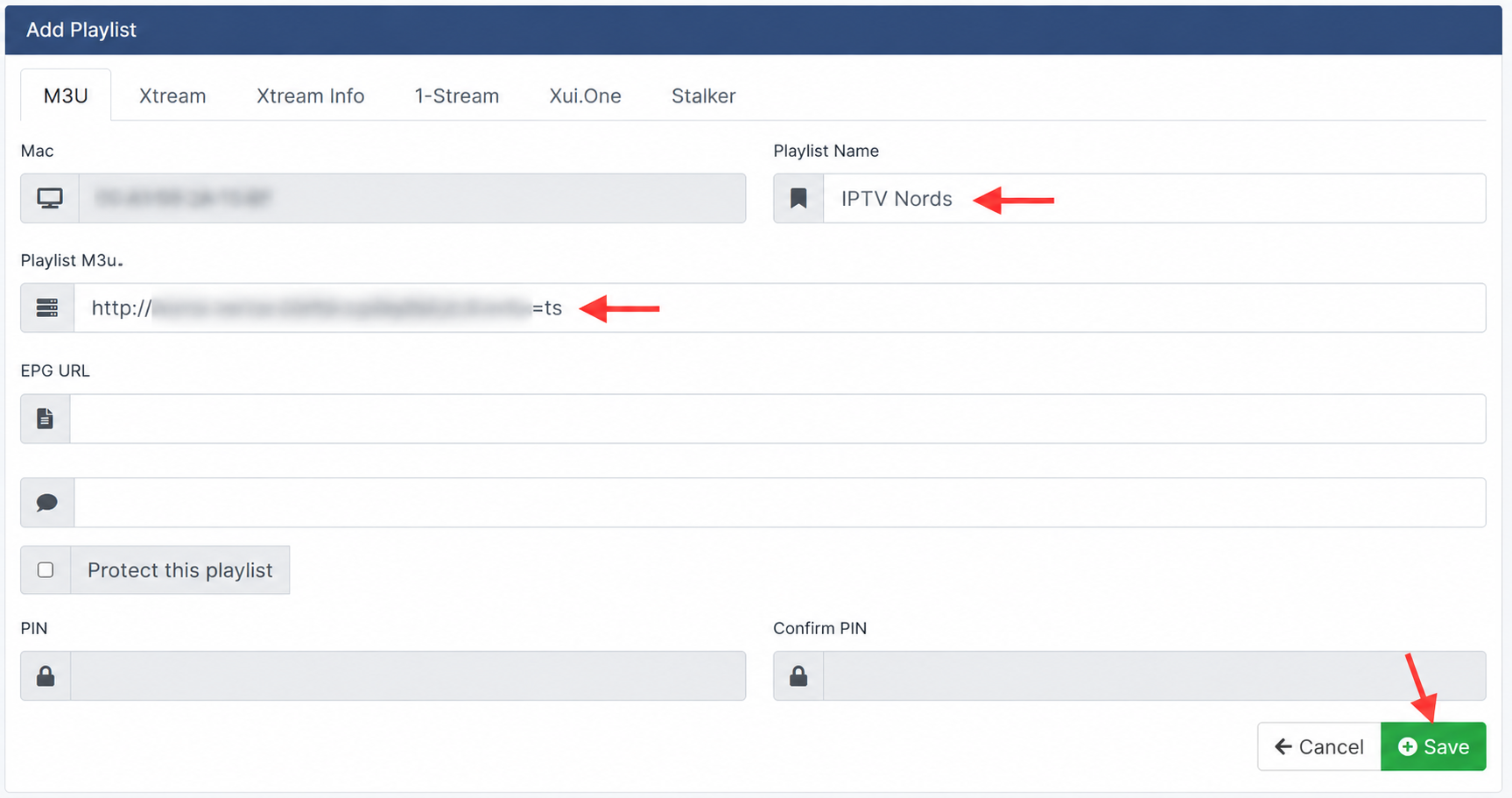
How to do it:
- Select M3U URL and paste your IPTV Nords link:
http://server.iptvnords.com:PORT/get.php?username=XXXX&password=XXXX&type=m3u
- Or choose Xtream Codes and enter your username, password and server URL
- Tap Save — channels load in seconds
📧 Your M3U URL is in your IPTV Nords welcome email. Contact live chat support if you need it resent.
4
Enjoy Fast Zapping and Custom Themes
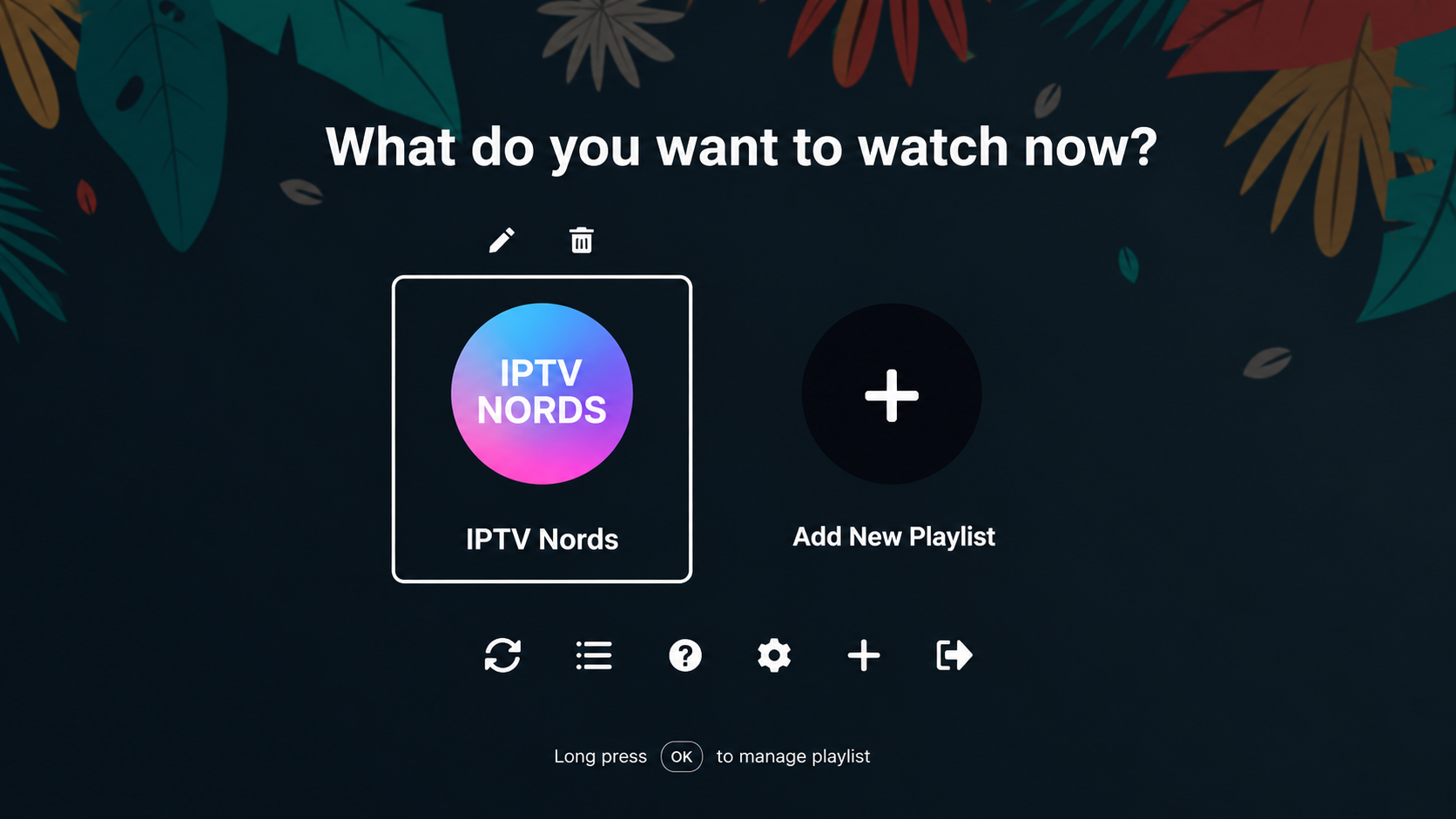
Duplecast features fast channel switching, parental controls, and Dark / Light / Aura colour themes.
How to do it:
- Browse Live TV — industry-leading fast zapping between channels
- Go to Settings → Theme to choose Dark, Light or Aura colour scheme
- Enable Parental Controls with a PIN to protect content
- Favourites sync automatically if you use Duplecast on multiple devices
💡 Duplecast also supports Stalker Portal and XUI — use whichever format your IPTV Nords plan provides.