





✓ Step-by-step guide
Install Smart IPTV (SIPTV)
on Samsung / LG Smart TV
Follow these steps to get IPTV Nords running on your Samsung / LG Smart TV with Smart IPTV (SIPTV).
1
Install Smart IPTV from Your TV App Store
Smart IPTV (SIPTV) is available directly on Samsung and LG Smart TV app stores — no sideloading required.
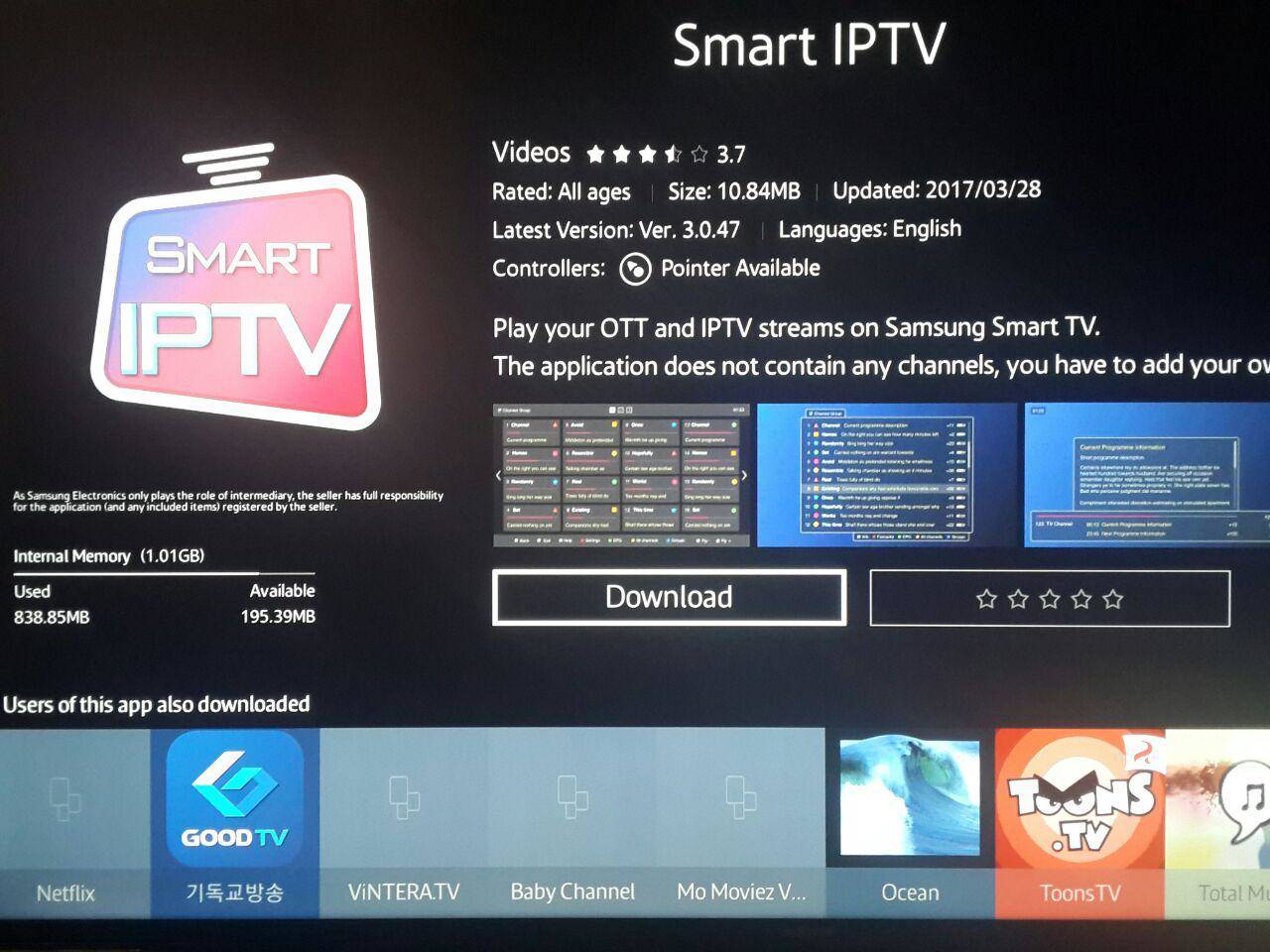
How to do it:
- Samsung: Home → Apps → Search → type Smart IPTV → Install
- LG: Home → LG Content Store → Search → type SIPTV → Install
- Open the app — it will show your TV's MAC Address on screen
- Note down the MAC Address — you will need it in Step 2
2
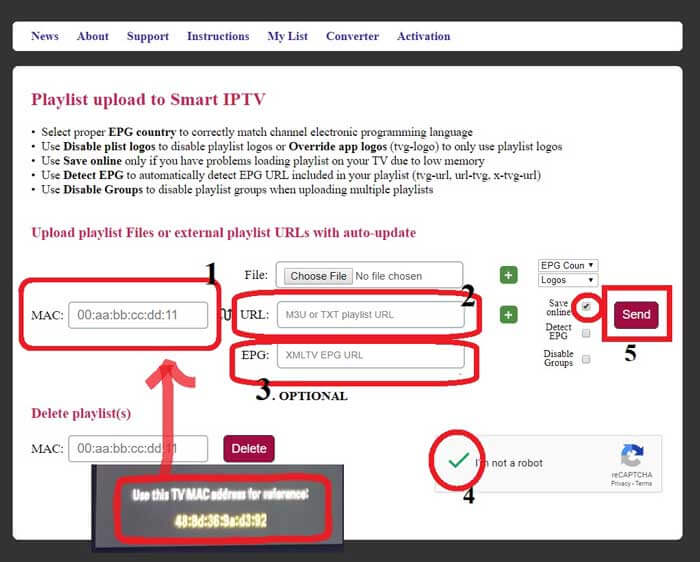
Upload Your Playlist via the SIPTV Website
The easiest way to add your playlist is via the Smart IPTV web portal using your TV's MAC address.
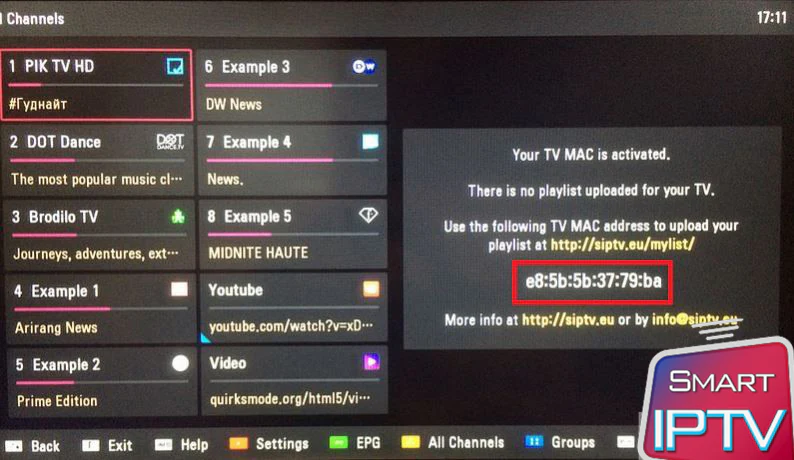
How to do it:
- On any computer or phone, go to siptv.eu/mylist
- Enter your TV's MAC Address from Step 1
- Paste your IPTV Nords M3U URL in the playlist field:
http://server.iptvnords.com:PORT/get.php?username=XXXX&password=XXXX&type=m3u
- Click Send — channels appear on your TV instantly
📧 Your M3U URL is in your IPTV Nords welcome email. Contact live chat if you need it resent.
3
Reload Channels on Your Smart TV
After uploading via the website, reload the app on your TV to load the new channels.
How to do it:
- On your Smart TV open the Smart IPTV app
- Press the OK or Reload button on the app's main screen
- Wait 15–30 seconds for all 19,000+ channels to load
4
Browse Live TV, Movies and Series
All your IPTV Nords channels are loaded. Navigate using your TV remote.
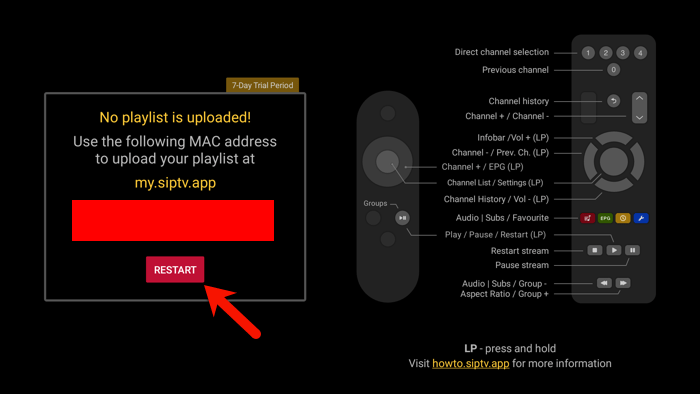
How to do it:
- Press Left/Right on the remote to switch between categories
- Press Up/Down to scroll through channels
- Press OK to start watching any channel
- Press the EPG button for the programme guide
💡 For best quality set stream to HD or FHD. Our servers support up to 4K on compatible devices.