





✓ Step-by-step guide
Install Built-in MAG Portal
on MAG Box/TVIP
Follow these 4 simple steps to get IPTV Nords running on your MAG Box/TVIP with Built-in MAG Portal.
1
Download & Install Built-in MAG Portal
Get Built-in MAG Portal from the official source for your MAG Box/TVIP.
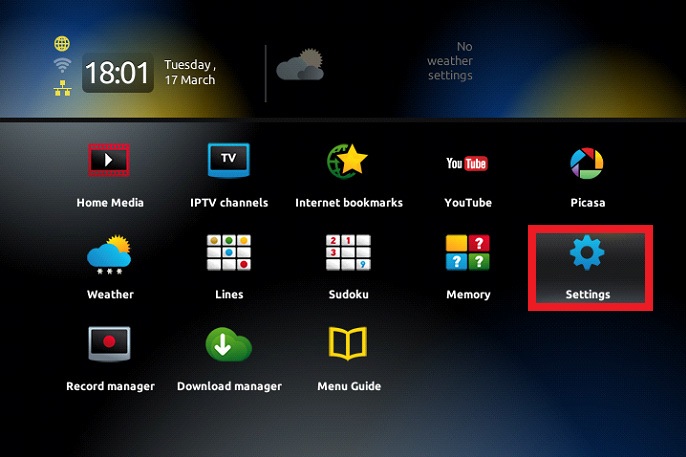
How to do it:
- Open the app store or official website for Built-in MAG Portal
- Download and install the application
- Launch Built-in MAG Portal once installation completes
2
Open Add Playlist / Network Stream
Locate the option to add an M3U URL inside Built-in MAG Portal.
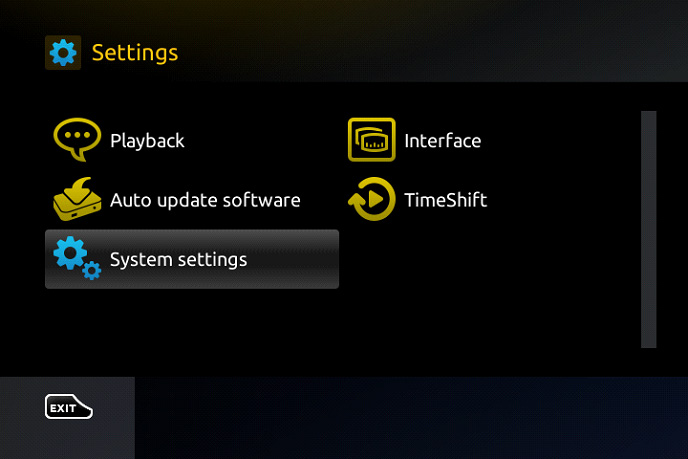
How to do it:
- Open Built-in MAG Portal
- Look for Add Playlist, Open URL or Network Stream
- Select the M3U URL input option
3
Enter Your IPTV Nords M3U URL
Paste the M3U playlist URL from your IPTV Nords welcome email.
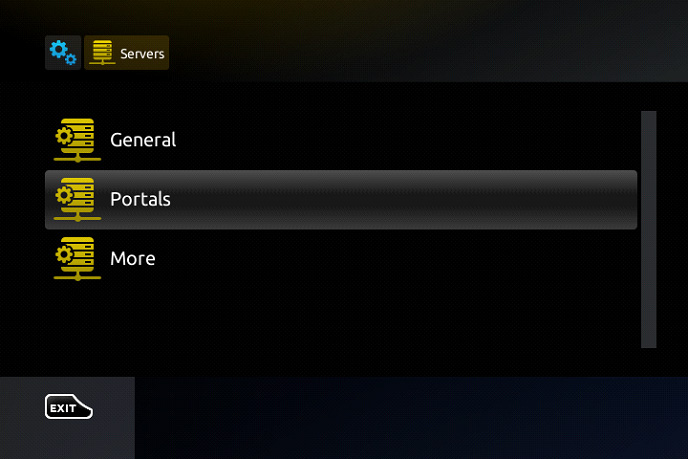
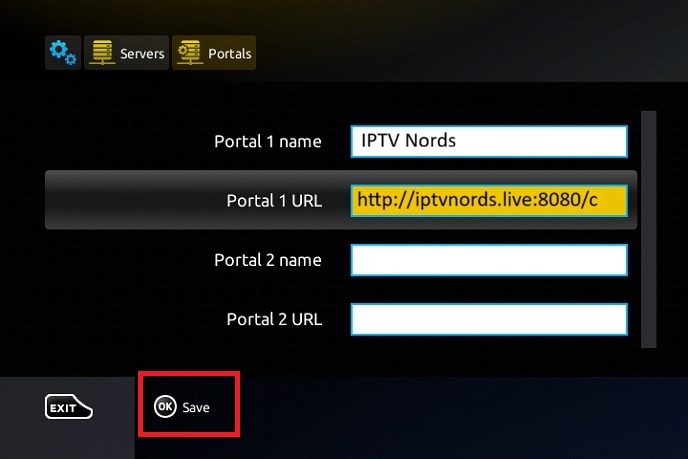
How to do it:
- Paste your IPTV Nords M3U URL (from your welcome email):
http://server.iptvnords.com:PORT/c
- Press Add, OK or Play to confirm
- Wait 10–30 seconds for all 19,000+ channels to load
📧 Your M3U URL is in your IPTV Nords welcome email. Contact our live chat if you need it resent.
4
Start Watching!
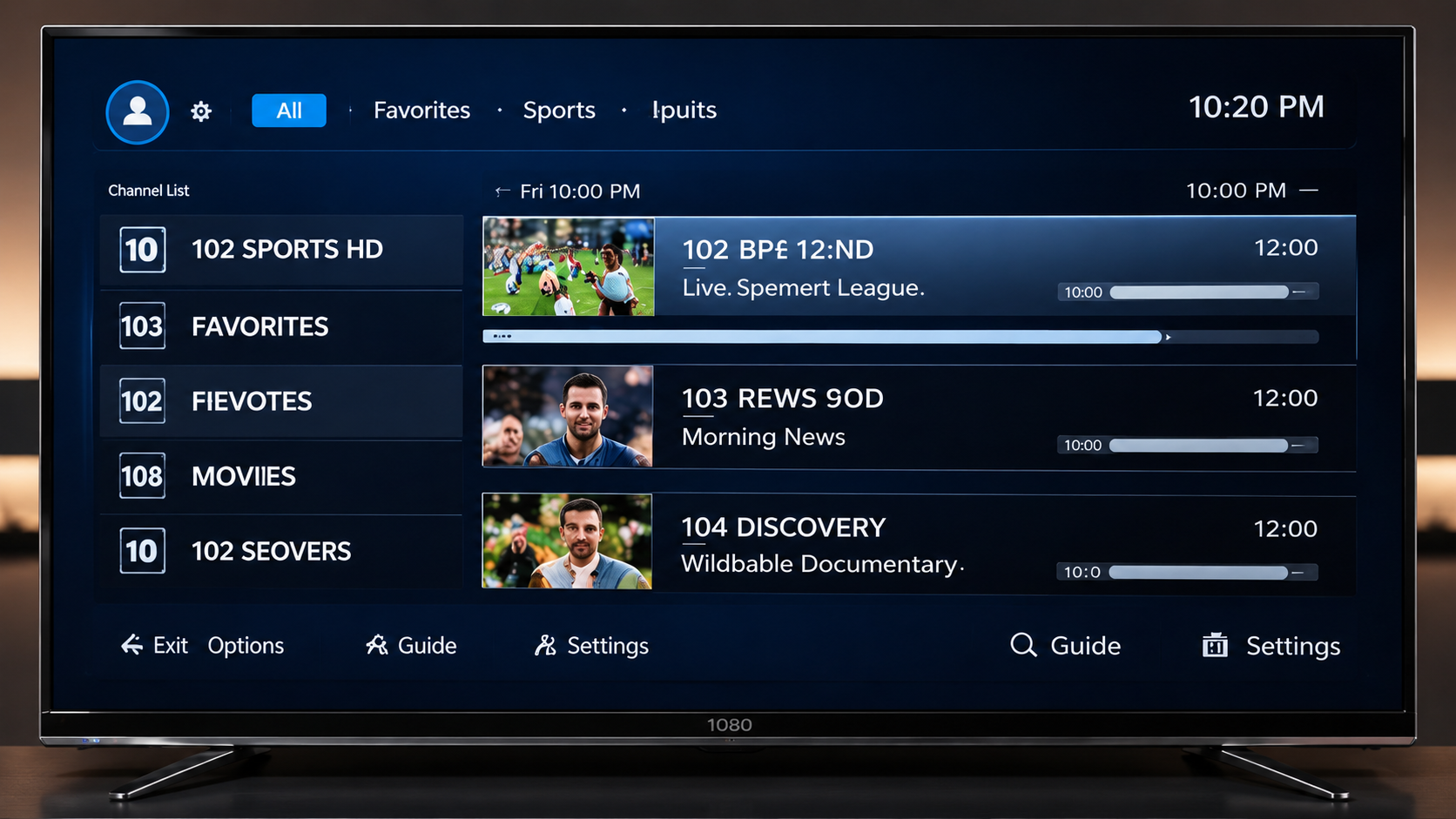
All your IPTV Nords channels are loaded. Enjoy live TV, movies and sports.
How to do it:
- 19,000+ Live TV channels from 62+ countries
- 19,000+ Movies & Series on demand
- PPV Sports — Champions League, Premier League and more
- SD, HD, FHD & 4K stream quality
💡 For best quality set stream to HD or FHD. Our servers support up to 4K on compatible devices.