





✓ Step-by-step guide
Install Smarters Player Lite
on appletv/iPad
Follow these 4 simple steps to get IPTV Nords running on your appletv/iPad with Smarters Player Lite. Setup takes around ~5 minutes.
1
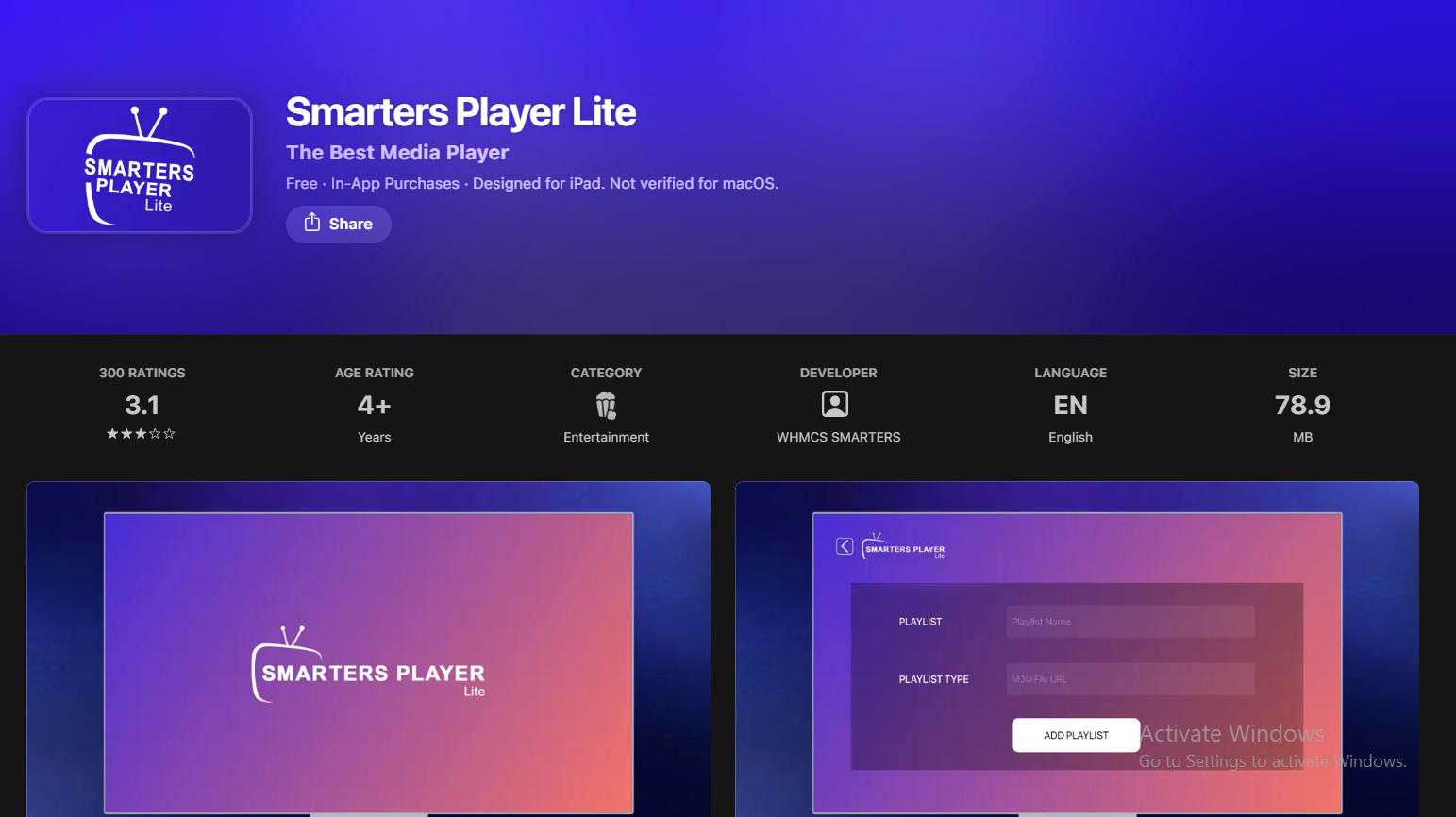
Download Smarters Player Lite from the App Store
Search for 'Smarters Player Lite' by WHMCS SMARTERS on the App Store — available free on Apple TV.
How to do it:
- Open the App Store on your device
- Search for Smarters Player Lite by WHMCS SMARTERS
- Tap Get to download — the app is free
- Open the app once installed
2
Choose Your Login Method
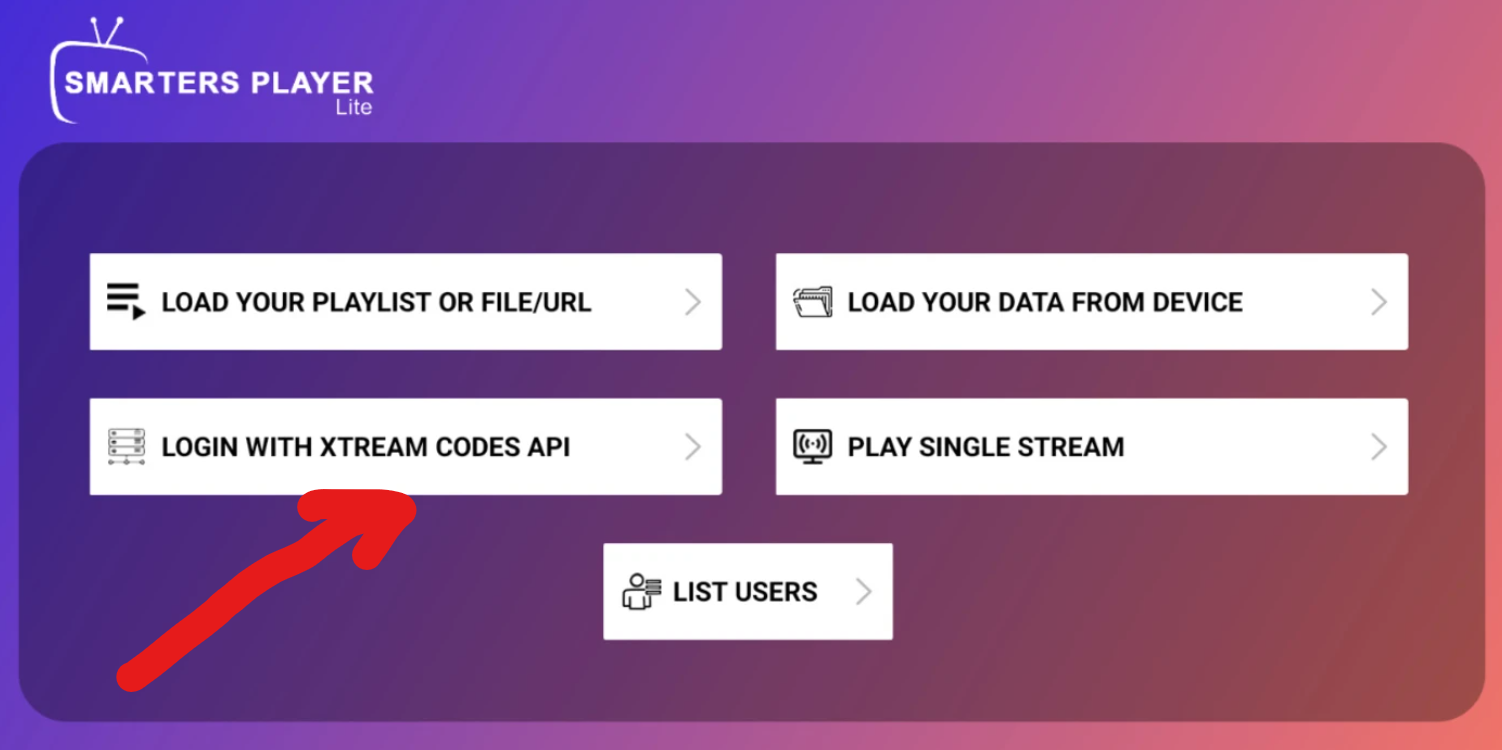
Smarters Player Lite supports both M3U playlist URL and Xtream Codes login. Select XTREAM CODES API
How to do it:
- Open Smarters Player Lite
- Tap Add User or Login
- Select XTREAM CODES API
3
Enter Your IPTV Nords XTREAM CODES Credentials
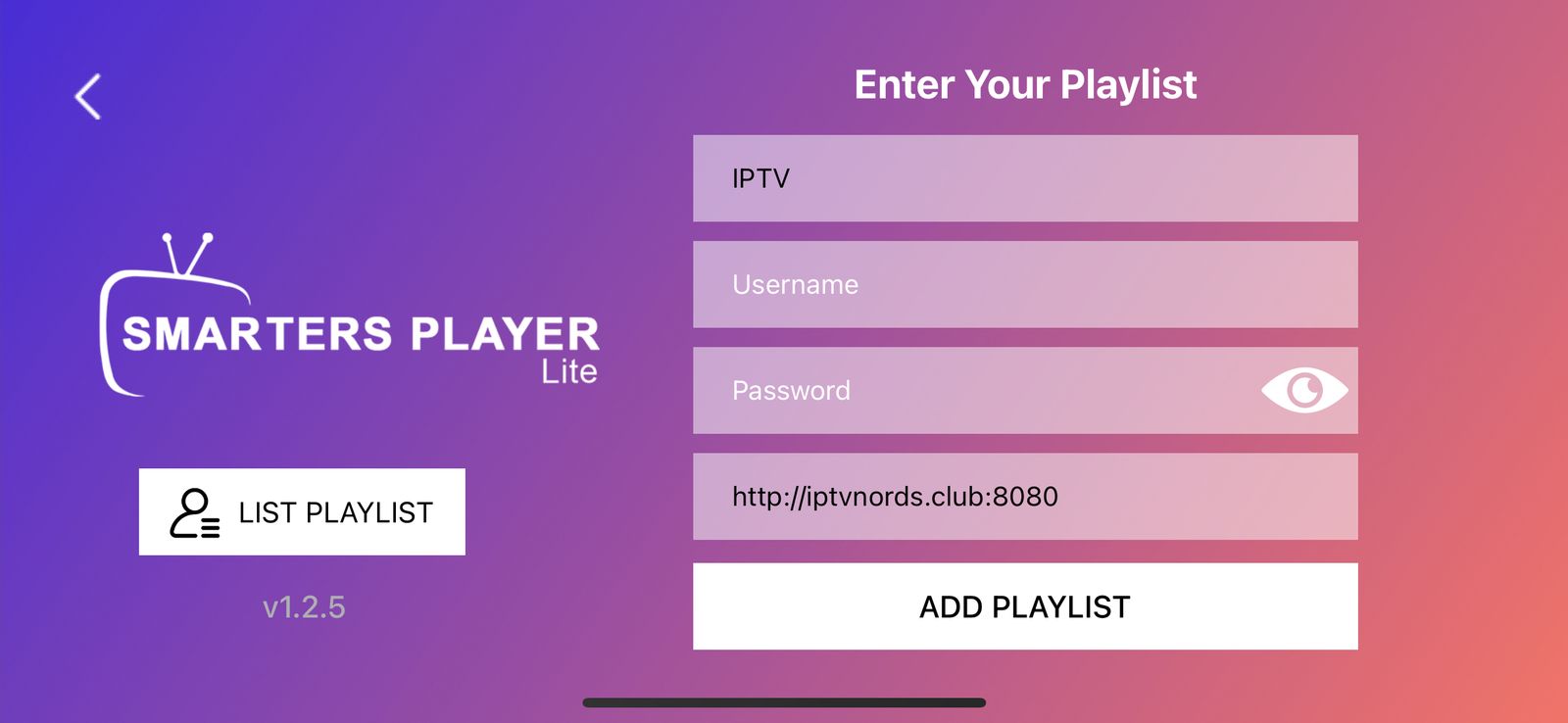
Use your credentials from your IPTV Nords welcome email into the login field.
How to do it:
- In Playlist Name type: IPTV Nords
- In username your username
- In password your password
- In Playlist URL http://iptvnords.club:8080
📧 Your Credentials are in your IPTV Nords welcome email. Contact live chat support if you need it resent.
4
Start Watching Your Channels
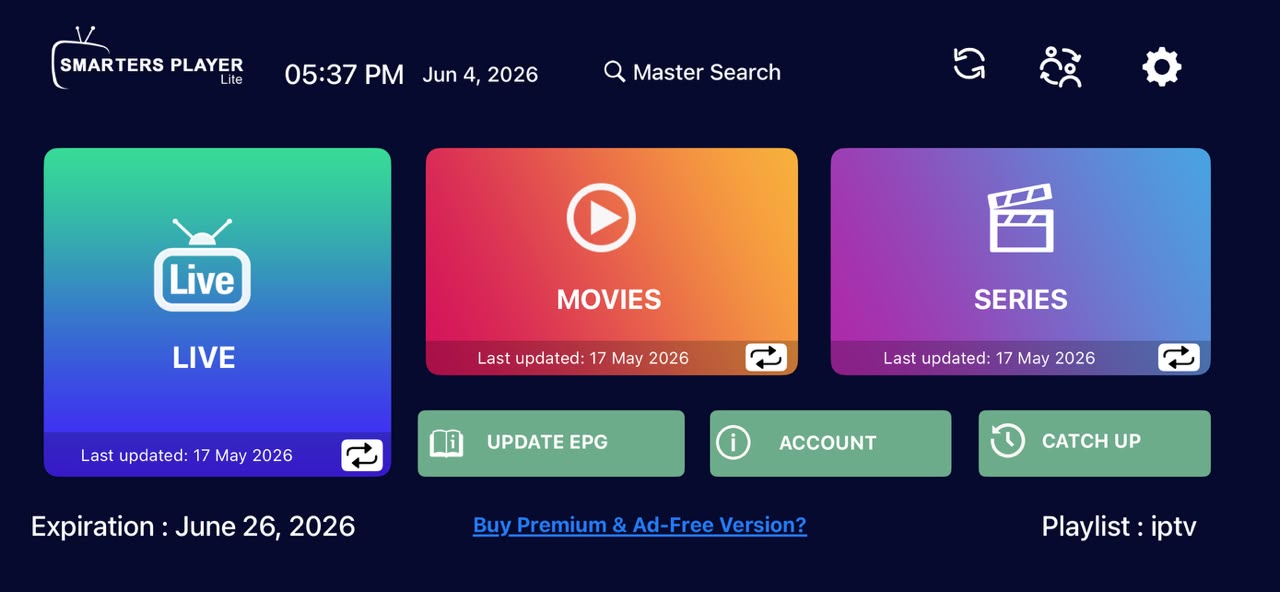
All your channels are loaded. Browse Live TV, Movies and Series with full EPG guide.
How to do it:
- Browse Live TV by category
- Access Movies and Series in the VOD section
- Tap the EPG button to see programme schedules
- Long-press any channel to add it to Favourites
💡 For best quality set stream to HD or FHD. Our servers support up to 4K on compatible devices.